What Is a Blog Page (And How Is It Different From a Post)?
Posts stream your newest thinking while pages anchor your site's permanent structure.
Sponsored by Typeorb
- Written by
- Pipeline & Post Editors
- Published
- November 6, 2026
- Reading time
- 7 min read
- Sources cited
- 1 sources ↓
What this covers
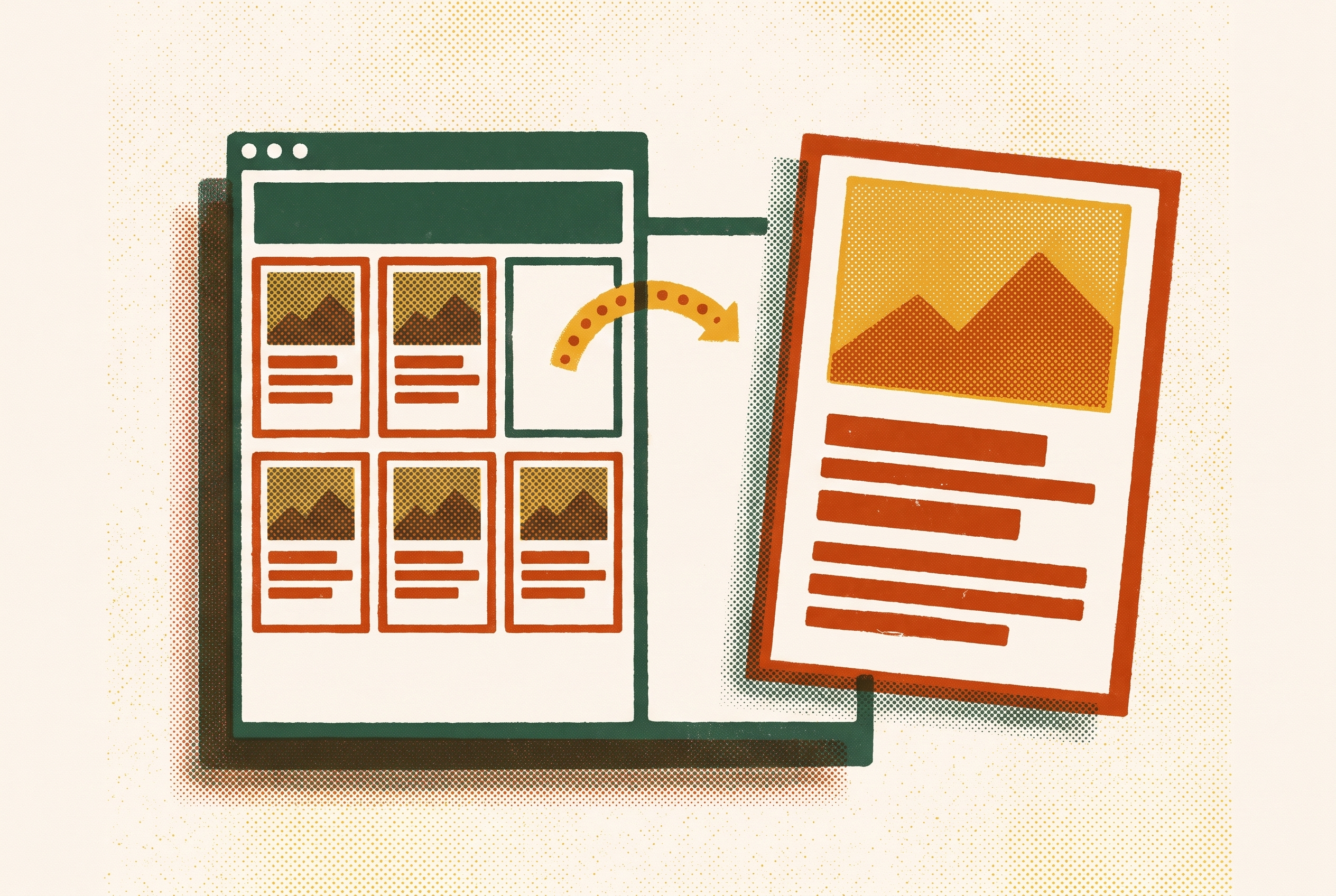
A blog page and a blog post have different roles in the site's structure, even when they look alike on screen. Posts form the dated, chronological stream of a blog. Pages hold its permanent structure. Choosing between them determines how content is organized, found, distributed, and maintained, so the decision belongs in content planning.
Why the page/post distinction is structural, not cosmetic
Why does a CMS have two ways to publish that look almost the same? Because the editor is not the content model. A new site owner or content lead can see a title, a body, and a publish button in both places, yet those shared controls conceal different behavior. The choice tells the system where the content belongs and how it relates to everything around it.
Learn WordPress distinguishes posts as dynamic, regularly updated content and pages as static, timeless information. A post joins a series of entries, while a page has a place in the site's structure. That separation affects navigation and discoverability before any formatting decision enters the picture. Two pieces can therefore look similar to a reader while doing fundamentally different work for the site.
What a blog post actually is — time-stamped, chronological, living in the stream
A blog post is a time-stamped entry published into a chronological feed. Posts appear in reverse chronological order, with the newest entry first, so each addition changes what readers encounter at the top of the blog. News articles, tutorials, opinion pieces, and product updates fit this model because they are part of what a site keeps publishing. A product update joins earlier updates instead of becoming a permanent section above or below them.
Each post has metadata that places it within that program, including a publish date, an author name, categories, and tags. The date establishes when the entry appeared, while the author identifies whose contribution it is. Learn WordPress describes categories as a blog's table of contents that groups similar posts, and tags as more specific keywords that say more about what is in a post. Readers can therefore find related entries by what they cover as well as by when they were published.
That structure also supports planned publication and distribution. A post can be drafted now and scheduled to go live at a future date, allowing its release to follow an editorial calendar. Posts appear in RSS feeds, so subscribers and content aggregators can get new entries without visiting the site. Distribution is part of the content type's role. Posts also typically have comment sections by default and can be configured with social-sharing buttons, giving readers ways to respond to or circulate an individual entry.
As new posts arrive, older ones remain in the archive, organized by date, category, and tag. A “2024 Roundup” and a “2025 Roundup” can both stay live because each records a different period. The later entry does not require the earlier one to disappear. Even when a tutorial remains useful long after publication, it is still implicitly dated, and readers can use that date as a signal of its relevance.
What a blog page actually is — static, hierarchical, outside the stream
A blog page is static, evergreen content that occupies the site's permanent structure. About, Contact, Services, Pricing, Privacy Policy, and Terms of Service are common examples. Each is a lasting place to find information that visitors may need, whatever the blog has published most recently. A Services page belongs in the site's structure because it describes what is available.
A page can be updated whenever its information changes, without becoming a new entry that supersedes the old one in a feed. A Contact page is updated in place, keeping its existing name (not “Contact 2025”) and remaining outside the archive.
Pages have no visible publish date or author byline by default, so they are not presented as contributions from a particular moment. They also have no categories or tags. Instead, pages can be organized hierarchically through parent and child relationships, such as a Services parent page with individual service pages nested beneath it. Where categories collect posts about similar subjects, a parent page places its children within a defined part of the site.
Pages live in navigation menus and footer links, where people can reach them directly. They do not appear in RSS feeds. A subscriber therefore does not automatically receive a page update as a new feed entry, even if the revision is substantial.
The clearest test — ask how the content ages
To decide between the two types, ask whether the content will accumulate with other entries or be updated in place. Annual roundups, weekly tutorials, and product launch announcements belong as posts when new versions will coexist with old ones. An About page, a Pricing page, or a legal policy represents the current state of one thing and is corrected when that state changes. An article explaining a team's approach to client onboarding is a post when it records a perspective that the team may revisit in a later article. A Services overview is a page because the current description changes with the services, rather than leaving an old offering live as a parallel entry.
The same test resolves content that could plausibly take either form. A detailed FAQ can be a stable page within a hierarchy, or it can be a post if the team intends to publish updated FAQ versions over time. What counts is the planned relationship between the current content and its successor. The risk runs in both directions, since an unrefreshed post can signal staleness, while content that should have been a post can become stranded in navigation without feed or RSS distribution.
How posts and pages behave differently in search
Posts tend to answer long-tail queries, which are more specific phrases that reflect what someone wants to find, because each entry can cover a topic in depth. Regular publication can build topical authority over time. Pages more often address broader head terms by giving the site's lasting subjects and offerings a fixed home. These are complementary tendencies.
Neither type does better in search just because of its content type. The stream brings fresh content, while permanent pages hold the lasting cornerstone content that the stream can support. A site consisting only of pages lacks that regular stream of new entries. A site with only posts has no permanent structure to keep its core information separate from the archive. The value comes from the relationship between the two, rather than from choosing one format for every search opportunity.
A service description published as a post shows the practical cost of misclassification. In a dated post structure, it receives a dated URL and moves deeper into the archive as newer entries appear. It loses the navigational permanence expected of cornerstone content. That is a structural problem before it is an optimization problem, because a current service description is being treated as one installment in a sequence.
What the distinction means for a B2B content program running on a blog
For a B2B marketing team, these content types call for different kinds of work. The post stream is what the content calendar manages, with regular entries assigned an author, a date, a category, and a path to distribution through RSS, social, and email. Each entry is a publishing event. The calendar coordinates when those events happen and which expertise they bring to readers.
The About page helps readers trust the team, while Services or Product pages give related posts a lasting place to link to. A new post can add a perspective or explain a product decision without requiring the site's standing description of the business to become another dated entry.
That split is especially useful when a program has more than one author. Engineers, salespeople, and product leads can contribute through posts whose bylines, dates, and categories identify the contributor and the area of expertise. Attribution is built into the format. Customer call notes, product decisions, and support patterns can be sources for these posts because they record knowledge that is timely and ready to share. When that internal expertise becomes published content, almost all of it belongs in the post stream, where subscribers can receive it as a new entry.
To plan for both types, the editorial calendar should have a publishing cadence for posts and a maintenance schedule for pages. Posts may come out on a weekly or bi-weekly cadence, while pricing and legal pages are checked on a set cycle. Product pages are updated when features change. Treating page maintenance as part of the program gives it a defined place without confusing a correction to permanent information with the release of a new article.
Classification should therefore happen at the planning stage, before the team commits content to either track. A service overview accidentally published as a post can fall into the archive and lose its place in navigation, forcing a redirect or rewrite later. Ask whether the team is adding another contribution or maintaining the current account of something permanent. Answering it before publication connects the writer's brief, the calendar, the distribution plan, and the eventual upkeep to the content's actual role.
This article is sponsored by Typeorb.
Methodology & sources
- Understanding the difference between WordPress posts and pages
Provided the distinctions between posts as dynamic content and pages as static content, including the description of categories as a blog's table of contents.